
Airbrush Introduces AI Relight Feature for Camera-Inspired Photo Lighting Effects
SINGAPORE, June 03, 2026 (GLOBE NEWSWIRE) -- Pixocial, the company behind Airbrush, has launched Relight, a new tool in the Airbrush App that helps users recreate atmospheric lighting effects directly on their phones. As photo editing moves beyond heavy filters and overly retouched images, more users are looking for tools to creatively express personal identity online, while still looking natural.
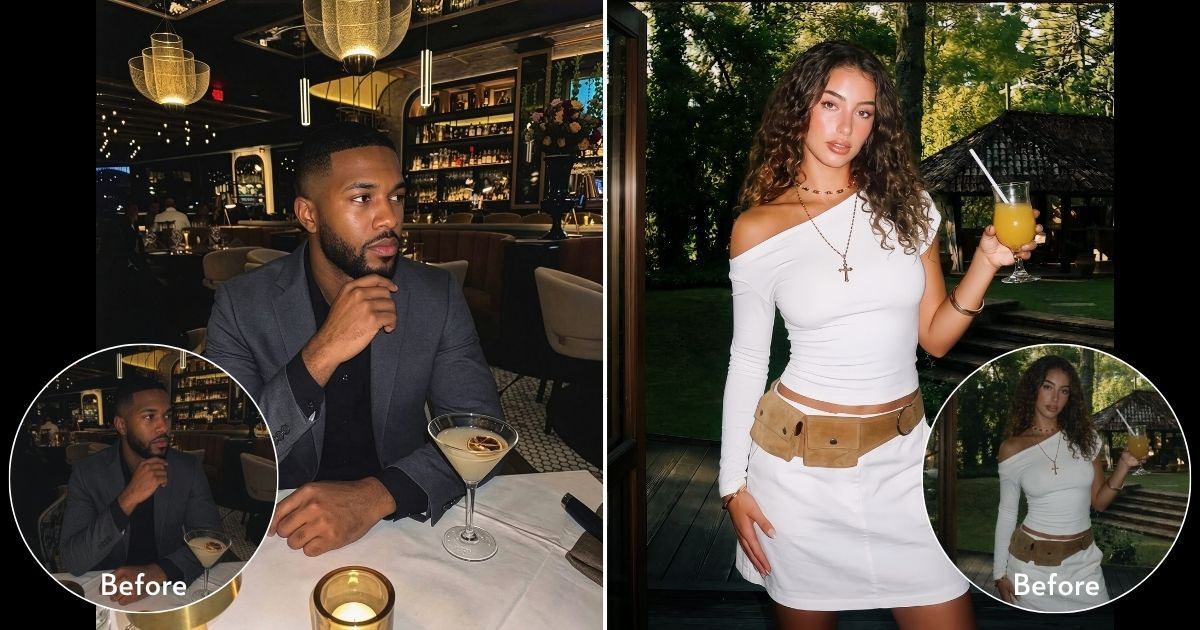
Airbrush's Relight brings popular photography aesthetics into a simple mobile editing experience. Rather than only adjusting brightness or exposure, the feature helps users transform the mood of a photo with lighting styles inspired by camera flash, cinematic lighting, and nostalgic digital photography. As an AI photo lighting editor, Airbrush's Relight helps users create cinematic lighting effects and looks inspired by the retro-inspired G7X Digicam flash effect, dreamy Golden Hour effect lighting, cinematic Blue Hour photography, balanced Even Light, and bold Flash photo effects, without needing professional cameras, external lighting, perfect weather, or advanced editing skills.
“Relight was created to make professional-looking lighting effects more accessible to everyday users,” said Lyllian Lai, Product Lead of Airbrush App. “Many people love the look of photos taken with cameras like the Canon G7X, Fujifilm, or other flash photography styles, but not everyone has the equipment, timing, or editing experience to recreate those effects. With Relight, we want users to be able to easily bring that same atmosphere and camera-inspired aesthetic to their photos.”
The feature is especially useful for selfies, lifestyle photos, travel moments, night shots, and social content that may look flat or poorly lit in the original image. A casual mirror selfie can become more editorial, a city photo can feel more cinematic, and an everyday moment can take on the warmth of golden hour or the nostalgic energy of flash photography. Rather than changing how someone looks, Airbrush's Relight focuses on changing how a photo feels.
Camera-inspired lighting aesthetics have become increasingly popular across Instagram, TikTok, and Pinterest, from nostalgic digicam flash to softer cinematic tones, and many users are looking for ways to achieve these styles without carrying multiple cameras, or learning advanced editing software. Airbrush's Relight has also received strong interest from users in markets such as the United States and United Kingdom, where social posts showcasing camera-style lighting effects have gained noticeable engagement.
In addition to Relight in the Airbrush App, Airbrush is also expanding its AI photo editing experience on the web with its online AI photo editor. The Airbrush Online Editor has introduced AI Auto Color Correction, a one-click feature that helps restore natural colors in photos affected by strong colored lighting, such as concert, festival, or club photos. This makes it easier for users to fix images where colored lights distort skin tones or the original atmosphere of the scene.
Together, Relight and Auto Color Correction reflect Airbrush’s approach to AI photo editing: helping users create expressive and natural-looking images across both mobile and web, without complicated editing workflows.
A photo accompanying this announcement is available at https://www.globenewswire.com/NewsRoom/AttachmentNg/49536576-9a3f-4a6c-bded-ae63ec4b5c94

Contact Person:
Daisy Chen
xiaoqing.chen@pixocial.com
airbrush-relight-g7x-style-effect
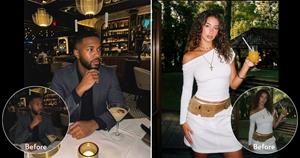
Before and after example of Airbrush's Relight feature to recreate G7X-style flash photography effect
Legal Disclaimer:
EIN Presswire provides this news content "as is" without warranty of any kind. We do not accept any responsibility or liability for the accuracy, content, images, videos, licenses, completeness, legality, or reliability of the information contained in this article. If you have any complaints or copyright issues related to this article, kindly contact the author above.
